
Installing Ruby 1.8.6 And RubyGems On OSX (Snow Leopard) With RVM
RubyGems no longer supports Ruby v1.8.6, so when I tried to install 1.8.6 on my Macbook, via RVM, I ran into this nice little error message:
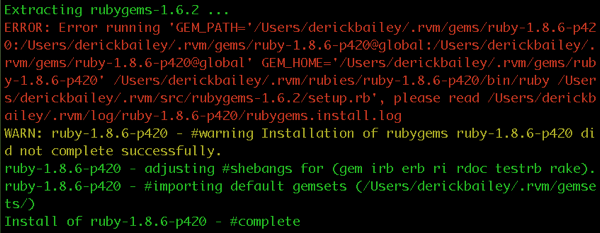
The interesting bit is that ruby itself installed. It’s only RubyGems that didn’t install correctly. Parts of rubygems were installed, and I could run the “gem” command, but I would get errors with any ruby code that needed rubygems to be around.
The fix is pretty simple: install a compatible version of rubygems, manually.
Head over to http://rubyforge.org/frs/?group_id=126 and grab the version of rubygems that you want. I went with 1.4.2 even though the blog post I linked to says it won’t work. It does. Drop the .tgz file on your computer somewhere and unpack it:
tar xvf rubygems-1.4.2-tgz
Then be sure you are using the correct version of ruby in rvm:
rvm use 1.8.6
And install rubygems:
cd rubygems-1.4.2
ruby setup.rb
and that’s it! I now have ruby 1.8.6 with rubygems 1.4.2 running on OSX. I’ve installed gems and verified that my apps work, too.