Hudson CI Server: setting up remote slaves AND restrictive security together
If any code snippets or content appear broken or missing, you can find this same post with its full content at blog.foundev.pro.
NOTE: this applies to Hudson version 1.352
Ok so yesterday I was setting up a publicly accessible build server, that was not to be viewable to anonymous sources. So I configured Hudson to “matrix security” and disallowed all access to anonymous see fig 1-1.However, once I did this my slaves stopped working entirely. Now I could have allowed some anonymous access but here was the long sought for trick.
-
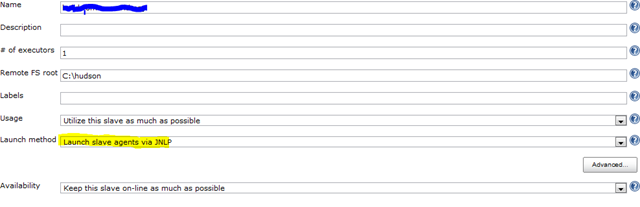
configure slaves to use “launch method” JNLP fig 1-2 below.
-
on client use java webstart to install the service by going to “http://yourserver:port/computer/slave-name/slave-agent.jnlp”. Make sure you select “install as a windows service”. In my case I had to select “file” then “install as a windows service”
-
open up wherever your base Hudson slave home was (mine was c:hudson) and find hudson-slave.xml.
-
once hudson-slave.xml is open look for the arguments line and make the following changes (replace user:pass with whatever your username and password is that has rights).
before:
-Xrs -jar “%BASE%slave.jar” -jnlpUrl <http://yourserver:8080/computer/yourslave/slave-agent.jnlp >after:
-Xrs -jar “%BASE%slave.jar” -jnlpUrl http://yourserver:8080/computer/yourslave/slave-agent.jnlp -jnlpCredentials user:pass -auth user:pass
- restart your hudson slave service and after a page refresh on your build server you should now have an up and reporting node!
Fig 1-1
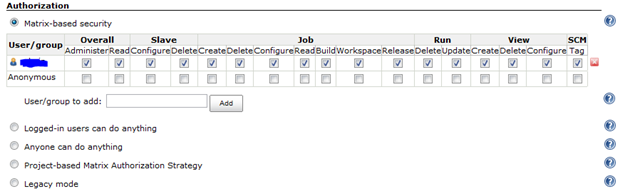
fig 1-2